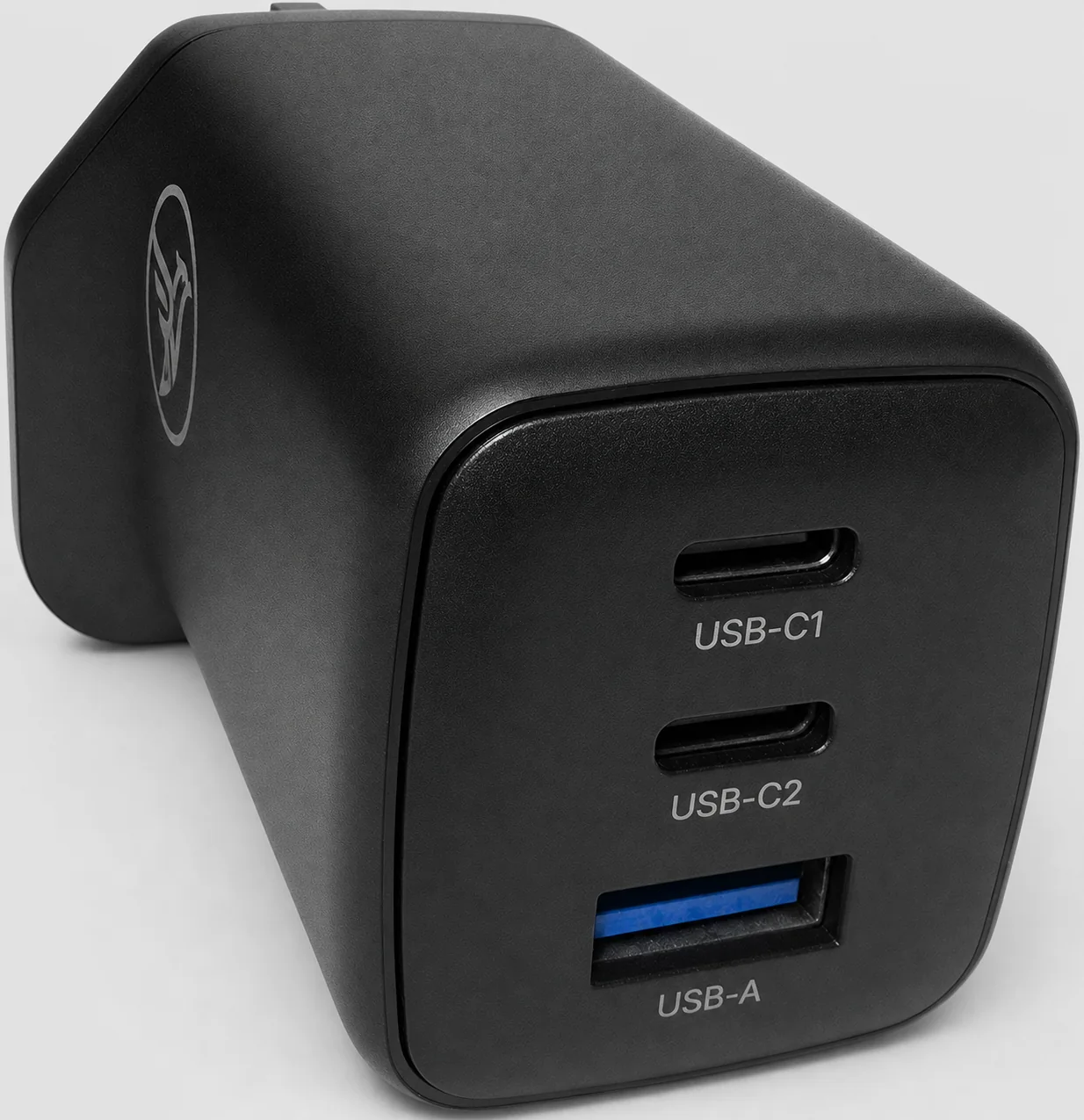
Quick start
- Inspect the charger, plug, socket and charging cable. Do not use anything damaged, loose, wet or contaminated.
- Insert the charger fully into an accessible UK 3-pin wall socket.
- Connect a suitable cable to USB-C1, USB-C2 or USB-A, then connect the device.
- The device and charger select a supported charging profile automatically. Speed depends on the device, cable, protocol and ports in use.
- When finished, disconnect the device, then unplug the charger by holding its body - never pull a cable.
For up to 65WConnect one compatible device to USB-C1 or USB-C2 with a USB-C cable rated for 65W or more. Disconnect other devices because available power is shared.
Choose a port
| Port | Single-port max | Typical compatible use |
|---|---|---|
| USB-C1 | 65W | Laptop, tablet, phone or gaming handheld |
| USB-C2 | 65W | Laptop, tablet, phone or gaming handheld |
| USB-A | 36W | Compatible USB-A phone or accessory |
Power sharing
| Ports in use | Available output |
|---|---|
| C1 + C2 | C1 up to 45W; C2 up to 18W |
| C1 + A | C1 up to 45W; USB-A up to 18W |
| C2 + A | 15W shared across C2 and USB-A |
| C1 + C2 + A | C1 up to 45W; 15W shared across C2 and USB-A |
When another device is connected or removed, charging may briefly pause while power is reassigned.
Important safety information
Stop use immediatelyDisconnect safely and stop using the charger if it becomes unusually hot, smells burnt, makes unusual noise, sparks, shows visible damage, has bent or loose pins, or has been exposed to liquid.
- Dry indoor use only. Keep away from water, condensation, sinks, baths and wet hands.
- Plug directly into a sound, accessible wall socket. Do not use a loose, damaged or overloaded socket.
- Allow air to circulate. Do not cover or use under bedding, clothing or other heat-trapping material.
- Keep away from flames, heaters, prolonged direct sunlight and other heat sources.
- Use only undamaged cables and compatible devices. Do not force connectors.
- Do not insert objects into ports. Do not short-circuit, open, modify or attempt repair.
- Keep out of reach of young children and pets. This product is not a toy.
- Unplug before cleaning, during long non-use, and before inspecting suspected damage.
Normal warmthSome warmth during fast charging can be normal. Move the charger to a hard, open surface. If heat is excessive or accompanied by smell, discolouration, deformation or charging faults, stop use.
Care and storage
- Unplug from the mains and all devices, then allow the charger to cool.
- Wipe only with a soft, dry cloth. Do not use water, sprays, solvents or abrasive cleaners.
- Keep ports clean and dry. Store in a cool, dry place with the plug pins protected from impact.
Troubleshooting
| Issue | What to try |
|---|---|
| No charge | Reseat both cable ends; try a known-compatible cable, device and wall socket; unplug the charger for 30 seconds, then reconnect. |
| Slow charge | Use USB-C1 or USB-C2 with one device and a suitably rated USB-C cable. Disconnect other devices and confirm the device supports a listed profile. |
| Repeated drop-outs | Try a different known-good cable and device. If the issue continues, stop use and contact support. |
Technical specifications
| Model / MPN | KYT830-65W-CCA |
| Input | 110-240 V AC, 50/60 Hz, 1.5 A max |
| USB-C1 | 5 V DC/3 A; 9 V/3 A; 12 V/3 A; 15 V/3 A; 20 V/3.25 A (65W max). PPS: 3.3-11 V/5 A; 3.3-20 V/3 A. |
| USB-C2 | 5 V DC/3 A; 9 V/3 A; 12 V/3 A; 15 V/3 A; 20 V/3.25 A (65W max). PPS: 3.3-20 V/3 A. |
| USB-A | 5 V DC/3 A; 9 V/3 A; 12 V/3 A (36W max). |
| C1 + C2 | C1: 5 V/3 A, 9 V/3 A, 12 V/3 A, 15 V/3 A, 20 V/2.25 A. C2: 5 V/3 A, 9 V/2 A. |
| C1 + A | C1: 5 V/3 A, 9 V/3 A, 12 V/3 A, 15 V/3 A, 20 V/2.25 A. A: 5 V/3 A, 9 V/2 A. |
| C2 + A | 5 V DC/3 A shared. |
| C1 + C2 + A | C1: 5 V/3 A, 9 V/3 A, 12 V/3 A, 15 V/3 A, 20 V/2.25 A. C2 + A: 5 V/3 A shared. |
Disposal, support and identification
Electrical recyclingDo not dispose of this charger with household rubbish. Take it to an appropriate electrical recycling collection point or follow your retailer or local authority's recycling guidance.
| Support | enquiry@rcity.uk | rcity.uk/support.html |
| eBay orders | Use the help, return or refund option inside the eBay order first. |
| Batch / lot | See the product or packaging label. |
| Guide ID | UG-KYT830-65W-CCA-EN-GB | Rev 1.0 | 23 August 2026 |
Any voluntary warranty is stated at checkout or in the marketplace listing. Your statutory rights are unaffected.